Download Center 
You can visit the GitHub repositories by clicking on the respective links.
How To Download
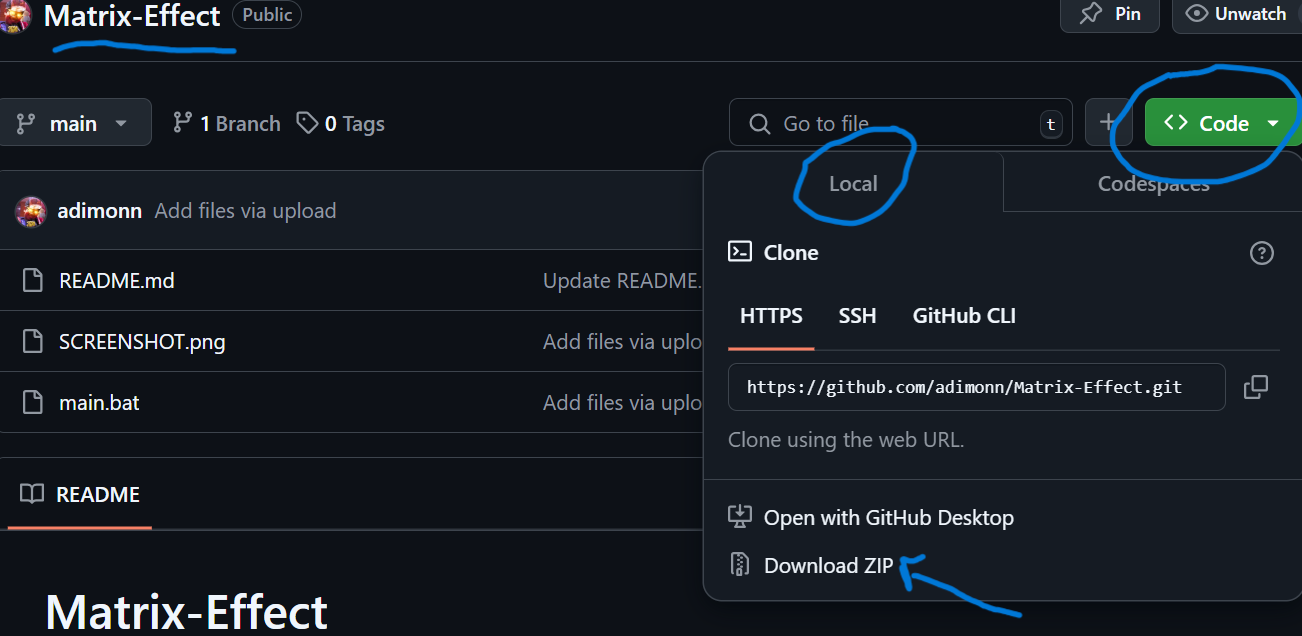
The image that you see and the steps below will teach you how to download the files from GitHub.
1. Click on the link of the file you want to download.
2. It will take you to the respective repository.
3. Click On Code(as in the image).
4. Make sure you are on "Local".
5. Click on "Download ZIP".
6. Extract your ZIP File.
7. YOUR FILE IS READY!!
This is how to download your files from a GitHub repository.